发布看板 SaaS 落地页
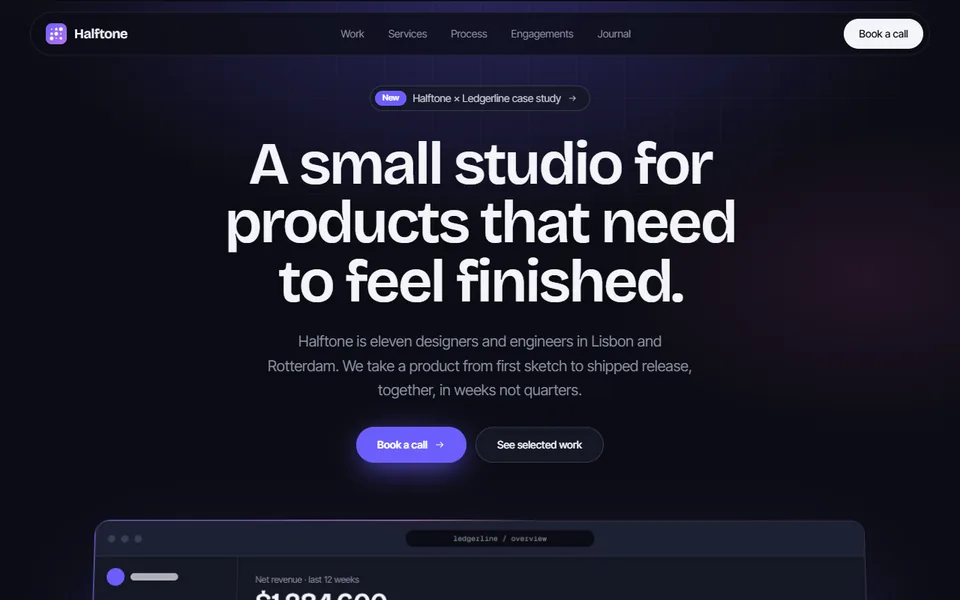
深色为主的 SaaS 整站:光晕首屏配一张纯 JSX 画出的产品仪表盘,客户字标、八宫格功能、三步流程、数据、评价、定价与 FAQ 一气呵成。
- React · Motion · CSS · SVG
- MIT
- launch-ui/launch-ui
- Remix 这个条目
正在载入预览
调参
高亮部分是当前参数,复制和下载都会带上
// SPDX-License-Identifier: MIT// Copyright (c) 2024 Mikolaj Dobrucki// Source: https://github.com/launch-ui/launch-ui/blob/b0d4d5b/app/page.tsx// Modified by Motif; see the item's provenance.import type { CSSProperties } from 'react'import { cn } from '@motif/runtime'import { DashboardMock } from './mockup'import { themeStyle } from './parts'import { Cta, Faq, Features, Footer, Hero, Logos, Navbar, Pricing, Stats, Steps, Testimonials } from './sections'/* @motif:defaults */export const defaults = { brandName: 'Kestrel', accent: '#7c6cff', fontPair: 'geist', radius: 10, dark: true, headline: 'Know a release is healthy before your users tell you', subhead: 'Watch crash rates, latency and error budgets across every deploy, and roll back the ones that go wrong before anyone files a ticket.',}/* @motif:end */export type SaasDashboardLandingProps = Partial<typeof defaults> & { className?: string; style?: CSSProperties }/** * 整站 SaaS 落地页:导航、首屏(带发布健康仪表盘)、客户、功能、流程、数据、评价、定价、FAQ、CTA、页脚。 * 用容器查询(@2xl、@3xl…)而不是视口断点,所以放进任何宽度的容器里都能正确响应。 */export function SaasDashboardLanding({ className, style, ...props }: SaasDashboardLandingProps) { const options = { ...defaults, ...props } return ( <div className={cn('@container relative w-full overflow-x-clip antialiased', className)} style={{ ...themeStyle(options), ...style }}> {/* 贯穿全页的两条竖向细线 */} <div className="pointer-events-none absolute inset-y-0 left-1/2 z-0 hidden w-full max-w-[75rem] -translate-x-1/2 border-x border-border @5xl:block" aria-hidden /> <div className="relative z-10"> <Navbar brand={options.brandName} /> <main> <Hero headline={options.headline} subhead={options.subhead}> <DashboardMock brand={options.brandName} /> </Hero> <Logos /> <Features brand={options.brandName} /> <Steps brand={options.brandName} /> <Stats /> <Testimonials /> <Pricing /> <Faq brand={options.brandName} /> <Cta /> </main> <Footer brand={options.brandName} /> </div> </div> )}