Light Rays
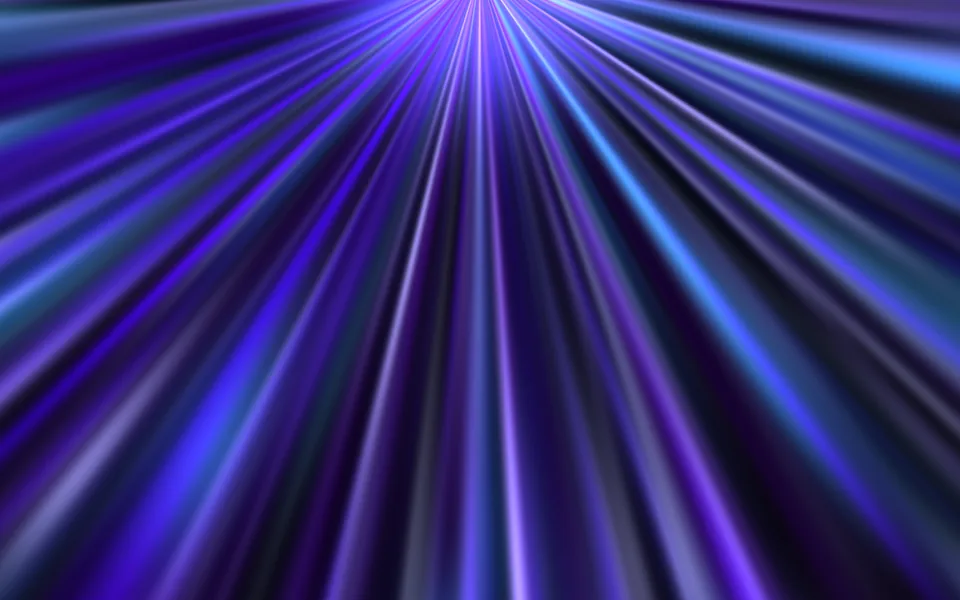
A few soft shafts of light hang from above, swaying gently and brightening one after another like daylight through a high window. A calm backdrop for heroes, sign-in screens and launch pages.
- React · CSS
- MIT
- magicuidesign/magicui
- Remix this

Loading preview
Tune
Highlighted lines hold your current values; copies and downloads include them
// SPDX-License-Identifier: MIT// Copyright (c) Magic UI// Source: https://github.com/magicuidesign/magicui/blob/d7207e5/apps/www/registry/magicui/light-rays.tsx// Modified by Motif; see the item's provenance.import { cn, useFrameLoop } from '@motif/runtime'import { useEffect, useMemo, useRef, type CSSProperties, type ReactNode } from 'react'/* @motif:defaults */export const defaults = { count: 9, width: 1, length: 100, angle: 14, spread: 8, color: '#9cc9ff', intensity: 0.85, blur: 22, glow: 0.45, speed: 1,}/* @motif:end */export type LightRaysProps = Partial<typeof defaults> & { className?: string style?: CSSProperties children?: ReactNode}interface Ray { /** 光柱顶端中心的横向位置(容器宽度的百分比)。 */ left: number /** 相对整体方向的偏离,-1–1,乘以 spread 得到角度。 */ tilt: number /** 宽度(容器宽度的百分比,未乘 width 倍率)。 */ width: number /** 来回摆动的幅度(度)。 */ swing: number /** 起始相位(秒):第一帧时每道光柱已经处在周期中途,不用等延迟。 */ offset: number /** 亮起再隐去一次的时长(秒,speed = 1)。 */ duration: number /** 峰值亮度系数。 */ peak: number}/** 基础周期(秒),对应上游的 speed = 14。 */const CYCLE = 14/** 每次亮起之后的间歇,沿用上游的 repeatDelay = 10%。 */const REST = 0.1/** 光柱最暗时保留的亮度:光柱只是起伏呼吸,不会整道消失,画面始终有几道光。 */const FLOOR = 0.18const SEED = 11/** 可复现的伪随机数(mulberry32)。 */function createRandom(seed: number) { let state = seed >>> 0 return () => { state = (state + 0x6d2b79f5) >>> 0 let t = state t = Math.imul(t ^ (t >>> 15), t | 1) t ^= t + Math.imul(t ^ (t >>> 7), t | 61) return ((t ^ (t >>> 14)) >>> 0) / 4294967296 }}/** 光柱的横向位置分层抖动:每道光柱落在自己的一段里,整体铺得均匀,又不会排成一排。 */function createRays(count: number): Ray[] { const rand = createRandom(SEED) const rays = Array.from({ length: count }, (_, index) => ({ left: 4 + ((index + 0.15 + rand() * 0.7) / count) * 92, tilt: rand() * 2 - 1, // 大多数光柱细,偶尔一道宽的,像光从几道宽窄不一的缝隙里漏进来。 width: 2 + rand() * rand() * 8, swing: 0.8 + rand() * 1.8, offset: rand() * CYCLE, duration: CYCLE * (0.75 + rand() * 0.5), peak: Math.min(1, 0.6 + rand() * 0.5), })) // 打乱绘制顺序,相邻的光柱不会总是同一层叠在上面。 return rays.sort((a, b) => a.offset - b.offset)}function smoothstep(x: number): number { return x * x * (3 - 2 * x)}/** #rrggbb 加透明度,转成 rgb() 字符串。 */function withAlpha(hex: string, alpha: number): string { const value = hex.replace('#', '') const channel = (index: number) => parseInt(value.slice(index * 2, index * 2 + 2), 16) return `rgb(${channel(0)} ${channel(1)} ${channel(2)} / ${Math.max(0, Math.min(1, alpha)).toFixed(3)})`}/** 从上方垂下、缓缓摆动并此起彼伏亮起的柔和光柱。尺寸由 className 决定,children 叠在光线之上。 */export function LightRays({ className, style, children, ...props }: LightRaysProps) { const options = { ...defaults, ...props } const optionsRef = useRef(options) optionsRef.current = options const hostRef = useRef<HTMLDivElement>(null) const rayRefs = useRef<(HTMLDivElement | null)[]>([]) const hostHeight = useRef(0) const lastTime = useRef(0) const rays = useMemo(() => createRays(Math.max(1, Math.round(options.count))), [options.count]) const update = (time: number) => { lastTime.current = time const o = optionsRef.current // 光柱向一侧倾斜时,顶端整体朝反方向挪一些,让光柱的中段仍然铺满画面。 const lean = (o.angle * Math.PI) / 180 const shift = Math.sin(lean) * hostHeight.current * (o.length / 100) * 0.45 rays.forEach((ray, index) => { const element = rayRefs.current[index] if (!element) return const period = ray.duration * (1 + REST) const local = (((time + ray.offset) % period) + period) % period const progress = local / ray.duration // 上游的关键帧是 0 → 峰值 → 0、摆角 -swing → +swing → -swing,两段都是 easeInOut。 const bell = progress < 1 ? smoothstep(1 - Math.abs(2 * progress - 1)) : 0 const rotate = o.angle + ray.tilt * o.spread + ray.swing * (2 * bell - 1) element.style.opacity = ((FLOOR + (1 - FLOOR) * bell) * ray.peak).toFixed(3) element.style.transform = `translateX(calc(-50% + ${shift.toFixed(1)}px)) rotate(${rotate.toFixed(2)}deg)` }) } const updateRef = useRef(update) updateRef.current = update // 记下容器高度(倾斜补偿要用),尺寸变化时立刻按当前时刻重排一次(静态模式下也不会错位)。 useEffect(() => { const host = hostRef.current if (!host) return const observer = new ResizeObserver(() => { hostHeight.current = host.clientHeight updateRef.current(lastTime.current) }) observer.observe(host) return () => observer.disconnect() }, []) // 光柱数量、角度等变化后,静止状态下也要按当前时刻重新摆好。 useEffect(() => updateRef.current(lastTime.current), [rays, options.angle, options.spread, options.length]) useFrameLoop(hostRef, ({ time }) => update(time), { speed: options.speed, reducedMotion: 'static', staticTime: 3 }) const { color, intensity, blur, glow, width, length } = options // 光柱从顶端最亮,沿长度方向逐渐变淡。 const rayBackground = `linear-gradient(to bottom, ${withAlpha(color, intensity)}, ${withAlpha(color, intensity * 0.6)} 30%, ${withAlpha(color, intensity * 0.22)} 65%, ${withAlpha(color, 0)} 100%)` return ( <div ref={hostRef} className={cn('relative isolate overflow-hidden', className)} style={style}> {glow > 0 && ( <div aria-hidden className="pointer-events-none absolute inset-0" style={{ background: [ `radial-gradient(ellipse 60% 45% at 22% 0%, ${withAlpha(color, glow * intensity * 0.55)}, transparent 70%)`, `radial-gradient(ellipse 55% 40% at 80% 0%, ${withAlpha(color, glow * intensity * 0.4)}, transparent 75%)`, ].join(', '), }} /> )} <div aria-hidden className="pointer-events-none absolute inset-0"> {rays.map((ray, index) => ( <div key={index} ref={(element) => { rayRefs.current[index] = element }} className="absolute top-[-12%] rounded-full opacity-0 mix-blend-screen" style={{ left: `${ray.left}%`, width: `${ray.width * width}%`, height: `${length}%`, transformOrigin: '50% 0', background: rayBackground, filter: `blur(${blur}px)`, willChange: 'transform, opacity', }} /> ))} </div> {children && <div className="relative z-10 h-full w-full">{children}</div>} </div> )}