Beams Background
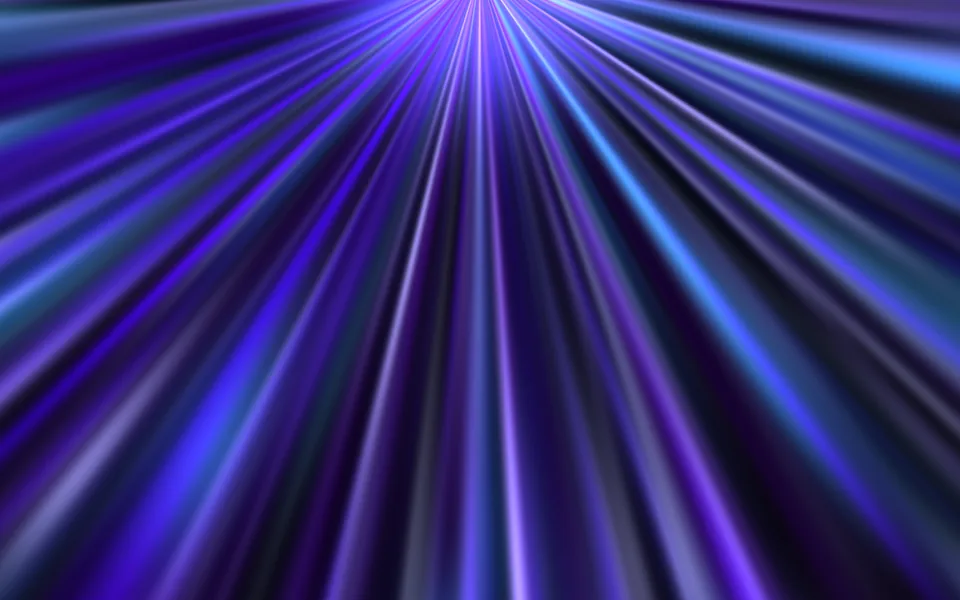
Soft, out-of-focus diagonal beams drift up from the bottom and pulse gently, their colors stepping from one beam to the next like an aurora seen through frosted glass. A backdrop for dark heroes and launch pages.
- React · Canvas
- MIT
- kokonut-labs/kokonutui
- Remix this

Loading preview
Tune
Highlighted lines hold your current values; copies and downloads include them
// SPDX-License-Identifier: MIT// Copyright (c) 2025 kokonutUI// Source: https://github.com/kokonut-labs/kokonutui/blob/83eec6d/components/kokonutui/beams-background.tsx// Modified by Motif; see the item's provenance.import { cn, useCanvasSize, useFrameLoop } from '@motif/runtime'import { useEffect, useRef, type CSSProperties, type ReactNode } from 'react'/* @motif:defaults */export const defaults = { count: 30, beamWidth: 1, angle: -30, colors: ['#22d3ee', '#3b82f6', '#8b5cf6'], background: '#09090d', intensity: 1, blur: 34, speed: 1,}/* @motif:end */export type BeamsBackgroundProps = Partial<typeof defaults> & { className?: string style?: CSSProperties children?: ReactNode}interface Beam { /** 光束起点(CSS 像素,相对可见区域的左上角)。 */ x: number y: number width: number /** 相对整体角度的偏移(度),上游是 0–10。 */ tilt: number /** 上升速度(CSS 像素 / 秒)。 */ speed: number opacity: number /** 在配色里的位置(0–1)。 */ tone: number /** 呼吸的相位和速度(弧度、弧度 / 秒)。 */ pulse: number pulseSpeed: number}/** 光束画在一张半分辨率的画布上再整体模糊:反正要糊掉,不需要高清像素。 */const RESOLUTION = 0.5/** * 上游的透明度(0.12–0.3)是配合两层模糊叠在全分辨率画布上的;这里只模糊一次, * 光束改成叠加混合,再整体提亮,重叠处才有发光的感觉。 */const GAIN = 1.9const SEED = 0xbea3/** 可复现的伪随机数(mulberry32)。 */function createRandom(seed: number) { let state = seed >>> 0 return () => { state = (state + 0x6d2b79f5) >>> 0 let t = state t = Math.imul(t ^ (t >>> 15), t | 1) t ^= t + Math.imul(t ^ (t >>> 7), t | 61) return ((t ^ (t >>> 14)) >>> 0) / 4294967296 }}function parseHex(hex: string): [number, number, number] { const value = hex.replace('#', '') return [0, 1, 2].map((index) => parseInt(value.slice(index * 2, index * 2 + 2), 16)) as [number, number, number]}/** 在配色里按 0–1 的位置线性插值,返回 "r, g, b"。 */function sample(palette: [number, number, number][], tone: number): string { if (palette.length === 1) return palette[0]!.join(', ') const position = Math.min(0.9999, Math.max(0, tone)) * (palette.length - 1) const index = Math.floor(position) const mix = position - index const a = palette[index]! const b = palette[index + 1]! return [0, 1, 2].map((channel) => Math.round(a[channel]! + (b[channel]! - a[channel]!) * mix)).join(', ')}/** 从画面底部缓缓升起、明暗起伏的柔焦斜光束。尺寸由 className 决定,children 叠在光束之上。 */export function BeamsBackground({ className, style, children, ...props }: BeamsBackgroundProps) { const options = { ...defaults, ...props } const optionsRef = useRef(options) optionsRef.current = options const hostRef = useRef<HTMLDivElement>(null) const canvasRef = useRef<HTMLCanvasElement>(null) const beams = useRef<Beam[]>([]) const random = useRef(createRandom(SEED)) /** 可见区域的尺寸(CSS 像素);画布四周比它多出 margin,模糊不会把边缘糊成透明。 */ const area = useRef({ width: 0, height: 0 }) const margin = () => Math.ceil(optionsRef.current.blur * 2) /** 初始散布在整个画面(上游的取法),之后从底部三列里重生。 */ const spawn = (initial: boolean, index: number, total: number): Beam => { const rand = random.current const { width, height } = area.current const column = index % 3 const spacing = width / 3 return { x: initial ? rand() * width * 1.5 - width * 0.25 : column * spacing + spacing / 2 + (rand() - 0.5) * spacing * 0.5, y: initial ? rand() * height * 1.5 - height * 0.25 : height + 100, width: initial ? 30 + rand() * 60 : 100 + rand() * 100, tilt: rand() * 10, speed: initial ? 36 + rand() * 72 : 30 + rand() * 24, opacity: initial ? 0.12 + rand() * 0.16 : 0.2 + rand() * 0.1, tone: total > 1 ? index / (total - 1) : 0.5, pulse: rand() * Math.PI * 2, pulseSpeed: 1.2 + rand() * 1.8, } } const reset = () => { random.current = createRandom(SEED) const total = Math.max(1, Math.round(optionsRef.current.count)) beams.current = Array.from({ length: total }, (_, index) => spawn(true, index, total)) } const step = (delta: number) => { const canvas = canvasRef.current const ctx = canvas?.getContext('2d') if (!canvas || !ctx) return const o = optionsRef.current const { height } = area.current const list = beams.current const total = Math.max(1, Math.round(o.count)) // 数量变化时增减光束,其余光束不受影响。 while (list.length < total) list.push(spawn(false, list.length, total)) if (list.length > total) list.length = total const palette = (o.colors.length > 0 ? o.colors : ['#3b82f6']).map(parseHex) const offset = margin() const scale = canvas.width / Math.max(1, area.current.width + offset * 2) ctx.setTransform(1, 0, 0, 1, 0, 0) ctx.globalCompositeOperation = 'source-over' ctx.clearRect(0, 0, canvas.width, canvas.height) ctx.globalCompositeOperation = 'lighter' list.forEach((beam, index) => { beam.y -= beam.speed * delta beam.pulse += beam.pulseSpeed * delta const length = height * 2.5 if (beam.y + length < -100) Object.assign(beam, spawn(false, index, total)) beam.tone = total > 1 ? index / (total - 1) : 0.5 const alpha = Math.min(1, beam.opacity * (0.8 + Math.sin(beam.pulse) * 0.2) * o.intensity * GAIN) const rgb = sample(palette, beam.tone) const width = beam.width * o.beamWidth ctx.setTransform(scale, 0, 0, scale, (beam.x + offset) * scale, (beam.y + offset) * scale) ctx.rotate(((o.angle + beam.tilt) * Math.PI) / 180) // 沿长度方向两头透明、中间最亮(上游的六个色标)。 const gradient = ctx.createLinearGradient(0, 0, 0, length) gradient.addColorStop(0, `rgba(${rgb}, 0)`) gradient.addColorStop(0.1, `rgba(${rgb}, ${alpha * 0.5})`) gradient.addColorStop(0.4, `rgba(${rgb}, ${alpha})`) gradient.addColorStop(0.6, `rgba(${rgb}, ${alpha})`) gradient.addColorStop(0.9, `rgba(${rgb}, ${alpha * 0.5})`) gradient.addColorStop(1, `rgba(${rgb}, 0)`) ctx.fillStyle = gradient ctx.fillRect(-width / 2, 0, width, length) }) } const stepRef = useRef(step) stepRef.current = step const resetRef = useRef(reset) resetRef.current = reset useCanvasSize(canvasRef, { maxDpr: RESOLUTION, onResize: () => { const host = hostRef.current if (!host) return area.current = { width: host.clientWidth, height: host.clientHeight } resetRef.current() stepRef.current(0) }, }) // 模糊半径变了,画布外扩的边距也跟着变:按新尺寸重画一帧。 useEffect(() => stepRef.current(0), [options.blur, options.colors, options.intensity, options.angle, options.beamWidth]) useFrameLoop(hostRef, ({ delta }) => step(delta), { speed: options.speed, reducedMotion: 'static', staticTime: 0 }) const offset = Math.ceil(options.blur * 2) return ( <div ref={hostRef} className={cn('relative isolate overflow-hidden', className)} style={{ background: options.background, ...style }}> <canvas ref={canvasRef} aria-hidden className="pointer-events-none absolute block" style={{ inset: -offset, width: `calc(100% + ${offset * 2}px)`, height: `calc(100% + ${offset * 2}px)`, filter: `blur(${options.blur}px)` }} /> {children && <div className="relative z-10 h-full w-full">{children}</div>} </div> )}